
A shared grocery list for your whole household
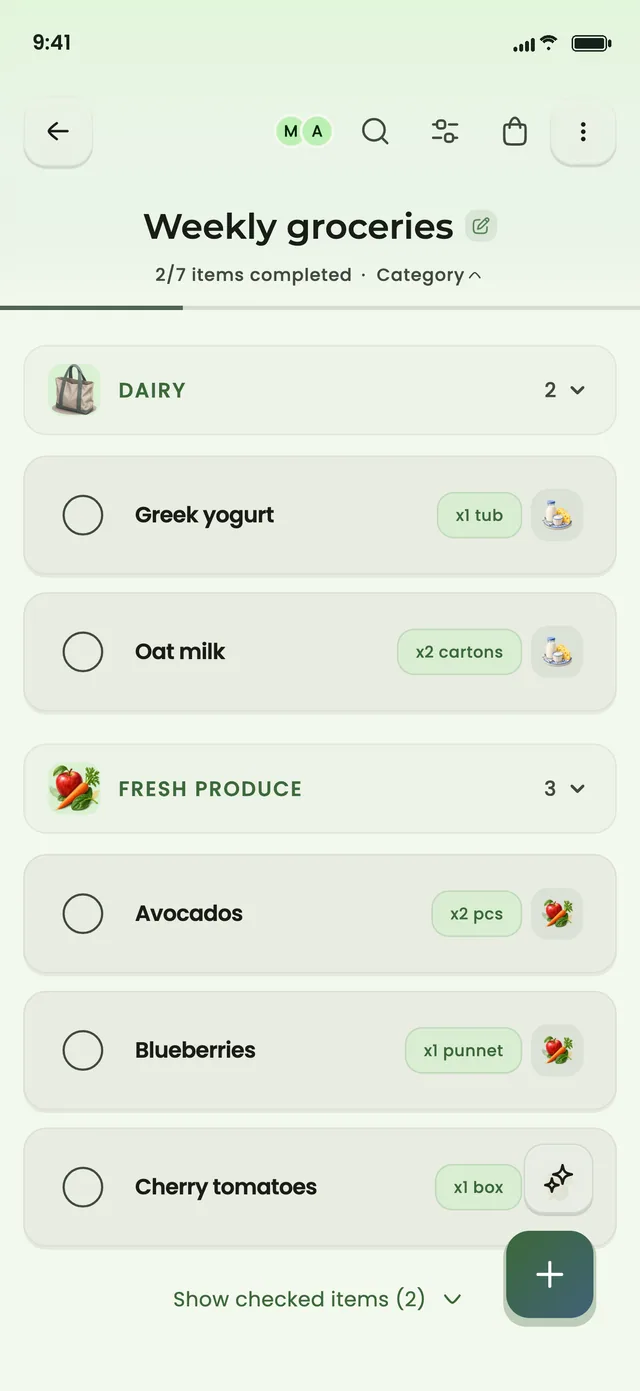
Everyone in the house works from one list on their own phone. When your partner adds oat milk at home, it shows up on your list in the store. When you tick it off, they see that too. Sharing a list is free on every plan.
What changes when a list is shared?
-
Changes show up live
An open list updates as people add, edit and tick off items. Nobody has to refresh or send a text saying "got the eggs".
-
"I'll get it"
Tap the cart chip on a row to claim an item. Your avatar appears on it, so two people in two shops don't both buy bread. In Shop mode, Mine shows your claims plus anything nobody has claimed.
-
Who added what
Rows on a shared list show who added an item and who ticked it off. Avatars at the top show who has the list open right now.
-
Someone is shopping
Tap Start shopping and the others see that you're in the store. They get a notification, so they can add the thing they forgot while you're still there.
-
Editors and viewers
Editors can add, change and tick off items. Viewers can read the list but can't change it. You can switch someone's role or remove them at any time.
-
Works with a weak signal
Lists already on your phone keep working offline. Your changes sync when you reconnect, and live updates from others resume.
How do you share a grocery list?
- Open the list, tap the options button and choose Share list. You need a free account to share.
- Type the email the other person uses for ListAIse and pick Editor or Viewer. They get an invitation in the app.
- Or tap Send invite link and send it by text or chat. Each link works once and expires after 30 days.
- The other person opens the link and lands in the list. With an Editor link they can add and tick off items before they make an account, which helps when a parent or roommate just wants to help with one shop.
- To change a role or remove someone, open Members from the list options.
If someone doesn't have the app, use Share as text to send a plain copy of the list. It won't update, but it works with any phone.
The sharing lists guide covers invitations, roles and item claims step by step.
Couples, families and roommates
Couples
Share one weekly list and make each other editors. Whoever passes the store first claims what they can carry. If you plan dinners together, a meal plan can fill the list for both of you.
Families
Create a group for the household and put the weekly shop, the warehouse run and the party list in it. Group members get access to every list in the group, so you don't share each one by hand.
Roommates
Keep a group for shared things like dish soap and toilet paper, and keep your own lists private. Claims and "checked by" avatars make it clear who bought what.
Sharing one list or making a group?
Share a single list when one other person needs one list. Make a group when the same people share several lists. Every list you create in a group, or move into it, is shared with the whole group.
The group's creator gives each member a role. Admins and Members can edit the group's lists, and Viewers can only read them. Each member chooses which group notifications they get, such as new items or someone starting a shop.
The groups guide shows how to create a group, invite people and set roles.
What is free, and what does Premium add?
- Free: unlimited lists, list sharing, live sync, roles, claims and offline lists.
- Free: up to 3 groups you create. You can join other people's groups too.
- Premium: unlimited groups, no ads, and larger monthly allowances for voice, receipt scans and recipe imports.
- Family plan: one Premium subscription for you and up to 5 more people, at $2.99/month or $29.99/year. Each person keeps their own account.
Premium and the Family plan are bought in the iPhone, iPad or Android app. You don't need either one to share a list.
More ways to fill a shared list
Anyone with edit access can add items by voice, paste a recipe link or scan a receipt, and the items land in the shared list. A list sorted by aisle keeps the store run short for whoever goes. Set a grocery budget on the list to see what the shop will cost.
Still choosing an app? See our roundup of the best grocery list apps, including the ones built mainly for sharing.
Try it on this week’s shop
Say what you need, paste a recipe link or snap a receipt. You get a list sorted by aisle, ready to share.
Free on iPhone, iPad, and Android. Premium $1.99/month or $19.99/year.
