
Build your recipe library with AI import
Paste a public recipe link or use a clear photo of a cookbook page or recipe card. ListAIse extracts a reviewable ingredient draft, saves the recipe, and adds only the items you choose to your grocery list.
How does AI recipe parsing work?
-
Import a recipe URL
Open From Recipe from the grocery list you want to fill, then paste a public recipe URL. For a printed page, handwritten card, or blocked website, switch to photo import and keep the complete ingredient list clearly in frame.
-
AI analyzes and extracts
ListAIse reads the recipe title, servings, ingredients, quantities, units, and available notes. The result is a draft: source formatting, optional ingredients, and unusual measurements can affect what the parser recognizes.
-
Save it and shop it
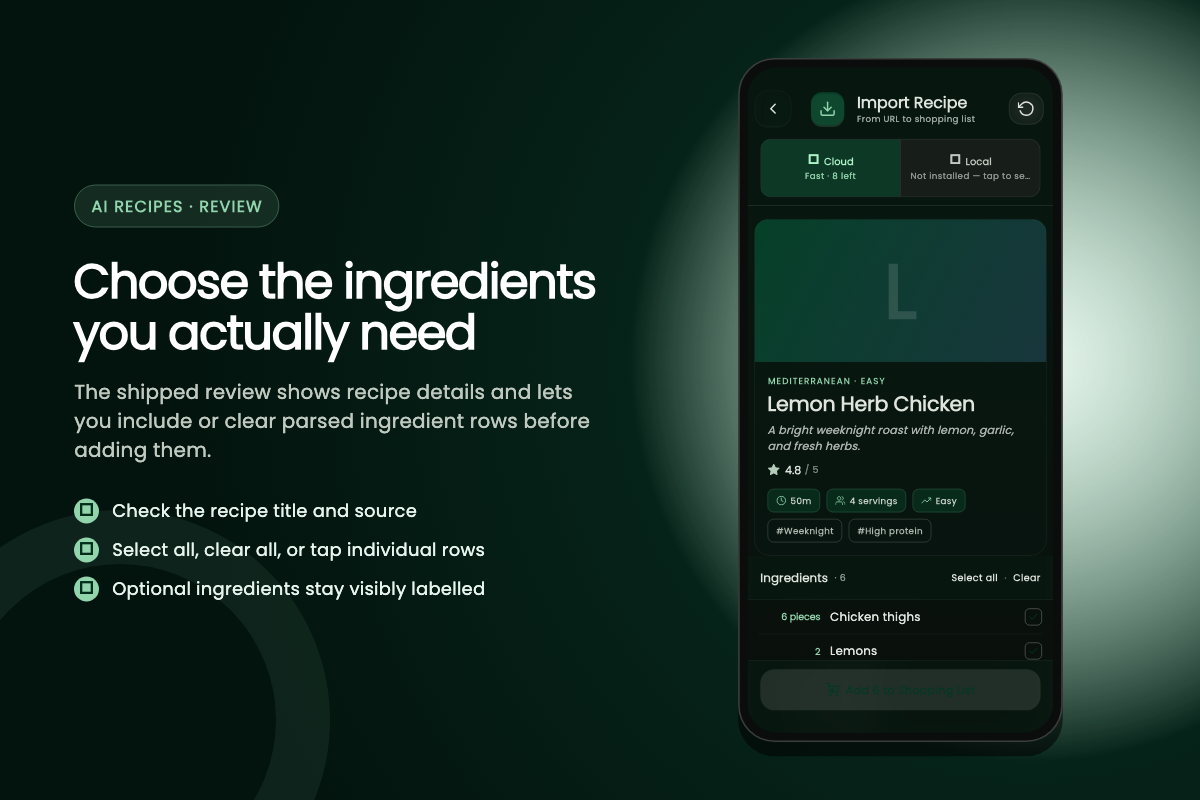
Review every row, clear ingredients already in your pantry, and add the selected set to the active grocery list. The imported recipe is saved so you can reuse it later without importing it again.
What the parser handles
- Ingredient quantity parsing
- Unit conversion and standardization
- Smart ingredient categorization
- Recipe library organization
- Recipe metadata preservation
What if a recipe page cannot be read?
URL import works best when the full recipe and ingredient list are visible without signing in. Subscription pages, paywalls, bot protection, and sites that render the recipe only after a private session can prevent ListAIse from seeing the content. In that case, use a clear photo you are allowed to access, or add the ingredients manually. A title or description without an ingredient list is not enough for a dependable import.
Measurements and merged recipes
Measurements need a final check too. The parser separates ingredient names, amounts, and units and can standardize common forms, but it should not guess when a source says “one package,” “a handful,” or omits a unit. Weight-to-volume conversions also depend on the ingredient, so grams and cups may remain separate instead of being merged. Review the draft and correct the grocery item after adding it if the source was ambiguous.
When combining saved recipes, matching ingredient names and units can be consolidated. Similar names or different units stay as separate rows for review, which avoids silently turning two uncertain quantities into one misleading total. Optional ingredients remain selectable, so you decide whether garnishes, substitutions, and pantry staples belong on the shopping list.
Who is AI recipe import useful for?
- Recipe library
- Keep recipes from public websites, cookbooks, and family cards in one reusable collection.
- Recipe organization
- Reuse saved recipes for weekly planning instead of copying the same ingredients each time.
- Instant conversion
- Choose only the ingredients you need before adding a reviewable set to the active list.
What does the free plan include?
Free accounts begin with 5 recipe-import credits. They receive 3 credits each month, up to a balance of 5. Both URL and photo imports use a cloud import credit. Browsing, editing, or reusing a recipe already in your library does not use another credit.
When the balance reaches zero
If the balance reaches zero, you can manually add ingredients, reuse a saved recipe, or watch a rewarded ad for one additional import, subject to the shared daily rewarded-ad limit. Premium bypasses the free-tier cloud recipe-import quota while the subscription is active; it does not remove the need to review unclear source text or inaccessible pages.
What should you review before adding ingredients?
Check the recipe serving size against the amount you plan to cook. A source may describe “four servings” without making every ingredient easy to scale, and package sizes rarely divide cleanly. Confirm fractions, decimal quantities, temperatures accidentally captured as amounts, and any ingredient whose preparation note changes what you need to buy, such as “two cups cooked rice” versus dry rice.
Substitutions and optional rows
Also review substitutions and optional rows. The parser cannot know whether you already have salt, cooking oil, water, or a suggested garnish. Clear pantry items, keep alternatives separate until you choose one, and correct brand-specific package descriptions that do not translate into a useful store quantity. The selected count on the final action is the last check before those rows enter your list.
Ready to import your next recipe?
Start with a public recipe page or a clear photo, then review the extracted ingredients before adding them.
Imported recipes live in your recipe library, and the grocery lists they generate stay editable in your offline grocery list. See all ListAIse features or the step-by-step recipe import guide.