
Your personal recipe library and collection
Keep imported recipes in a personal, cache-first collection. Open a saved recipe, review its details, or reuse its ingredients for a new shopping list without processing the source again.
How do you build a digital recipe collection?
-
Import from a URL or photo
Import a public recipe URL or a clear photo, review the extracted ingredients, and save the result. Pages hidden behind a sign-in or paywall may need a photo import or manual entry instead.
-
Browse saved details
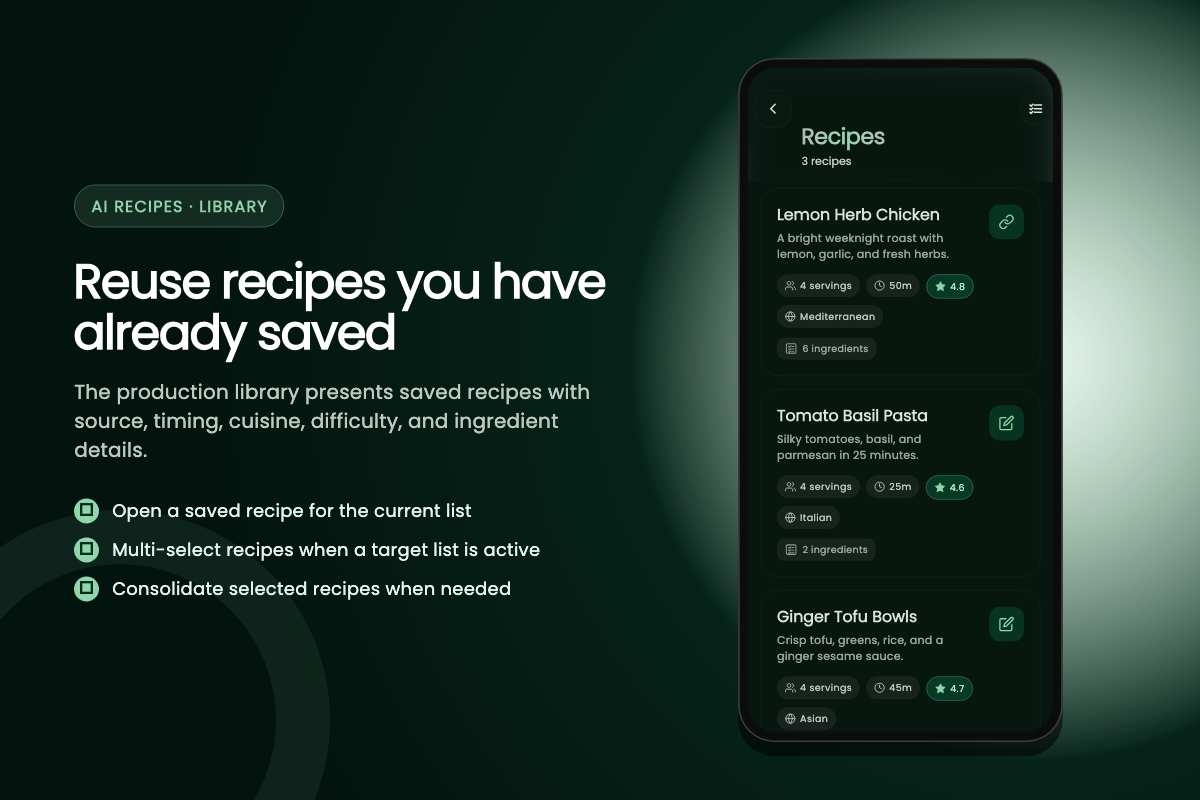
Recipe cards can show the source, servings, preparation time, cuisine, rating, and ingredient count when those details were available in the saved recipe.
-
Instant shopping lists
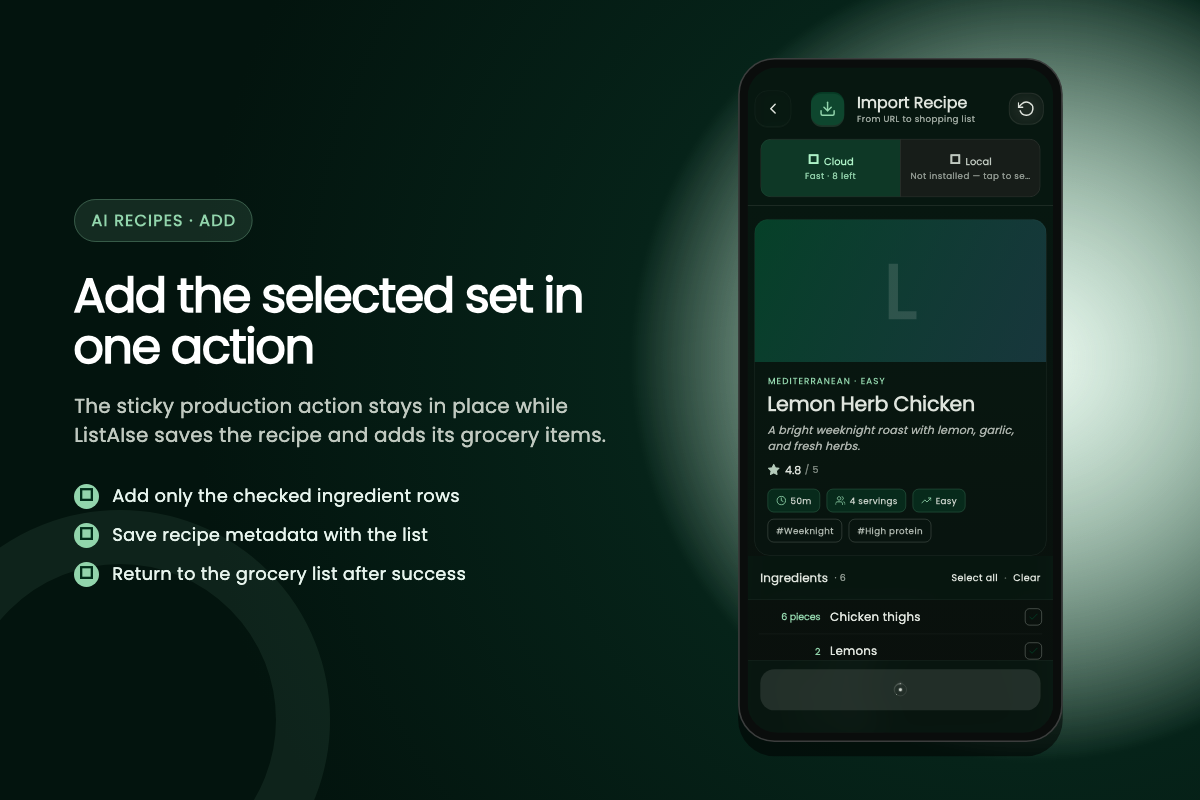
Start from an active grocery list, choose one or more saved recipes, review servings and optional ingredients, then add the selected set to that list.
Recipe library features
- Cache-first access to saved recipes
- Source, servings, time, and ingredient details
- Single- and multi-recipe selection
- Reviewable duplicate consolidation
- Reuse without another import credit
What happens when you combine several recipes?
Open From Recipe from the grocery list you are filling, browse the library, and select at least two saved recipes. Before anything is added, ListAIse presents the recipe selections, serving values, optional ingredients, and duplicate handling for review. This works well for a week of meals, a shared dinner, or any trip that needs ingredients from more than one recipe.
How duplicates are consolidated
Duplicate consolidation is deliberately cautious. Rows that normalize to the same ingredient name and unit can be combined, while distinct names or units remain separate. For example, two matching gram quantities may be added together, but grams and cups should not be treated as interchangeable without knowing the ingredient density. Check serving adjustments and ambiguous source units before accepting the combined set.
The final ingredient list is still editable. Clear pantry staples, leave out an optional garnish, or keep two similar rows separate when they serve different recipes. Only the selected items move to the active grocery list, where you can change quantities, categories, prices, and completion state as you shop.
Who benefits from a saved recipe library?
- Recipe collection
- Keep frequently cooked recipes and family favorites ready to reuse
- Browse saved recipes
- Browse saved cards and open the source and ingredient details you need
- Shopping lists
- Reuse one recipe or consolidate several into a reviewable shopping list
Does browsing the library use an import credit?
No. Free accounts start with 5 cloud recipe imports and receive 3 monthly refill credits, capped at 5. A new URL or photo import uses a credit, but opening, editing, or adding ingredients from a recipe already saved in your library does not.
After the free imports run out
This makes the library useful even after the free import balance is spent. You can reuse saved recipes, add ingredients manually, or earn one import through a rewarded ad within the shared daily ad limit. Premium bypasses the free-tier cloud import quota while subscribed; it does not change the quality of an inaccessible paywalled source or remove the need to review quantities and units.
Can you use saved recipes without a connection?
The library is cache-first, so recipes already stored on the device can load immediately while background synchronization catches up. Open recipes you expect to use before traveling or entering a low-signal store; offline access cannot fetch a recipe card, image, or update that the phone has never downloaded. Remote source links and images may also remain unavailable until the connection returns.
What still needs a connection
Creating a fresh URL import still requires cloud processing, and a saved recipe is only as complete as the source that was originally parsed. If you need its ingredients offline, review the saved recipe and add them to the target grocery list while connected. The grocery list can then keep its supported item actions available offline, including quantity edits and checking off purchases.
Cached access is especially useful for recurring meals: reuse the saved record instead of reopening the cooking site, spending another import credit, or depending on a paywalled source during the shopping trip.
Ready to save a recipe you will reuse?
Import a public recipe or clear photo, check the ingredient draft, and keep the saved result for future lists.
Recipes arrive through AI recipe parsing and leave as an offline grocery list you can shop anywhere. Browse every ListAIse feature or follow the recipe import walkthrough.