The best grocery list apps in 2026, compared
A good grocery list app does three things: it gets items onto the list quickly, it keeps everyone in the household on the same list, and it makes the store run short. Here are twelve apps that do some or all of that, and who each one suits.
By Raza Abbas, developer of ListAIse. Updated .
How we ranked them
The order follows how well each app does the grocery list job itself: adding items, sharing with a household, and shopping in the store. Apps built mainly around recipes or a family calendar rank lower because the list is a side feature for them. If recipes matter most to you, one of them may suit you better than anything above it.
Mealime isn't ranked because it shut down on October 21, 2026. If you used it, our Mealime alternative page covers where its recipes went.
Quick picks
- 1. ListAIse Households that fill one list from voice, recipes and receipts, and shop offline
- 2. AnyList A mature recipe organizer and meal planner with shared lists
- 3. OurGroceries A plain shared list that opens on many kinds of devices
- 4. Listonic A free shared list with aisle sorting and price tracking
- 5. Bring! Visual shoppers who like recipe ideas and store offers
- 6. Out of Milk Shared lists alongside pantry inventory and barcode entry
- 7. Cozi Families who want a shared calendar first and a list second
- 8. Plan to Eat Planning dinners ahead on a calendar
- 9. Paprika A full recipe manager with a pantry and menus
- 10. Recipe Keeper A recipe collection with no subscription
- 11. Samsung Food A large recipe catalog with grocery delivery
- 12. ReciMe Saving recipes from social video
The apps
1. ListAIse
Best for: Households that fill one list from voice, recipes and receipts, and shop offline
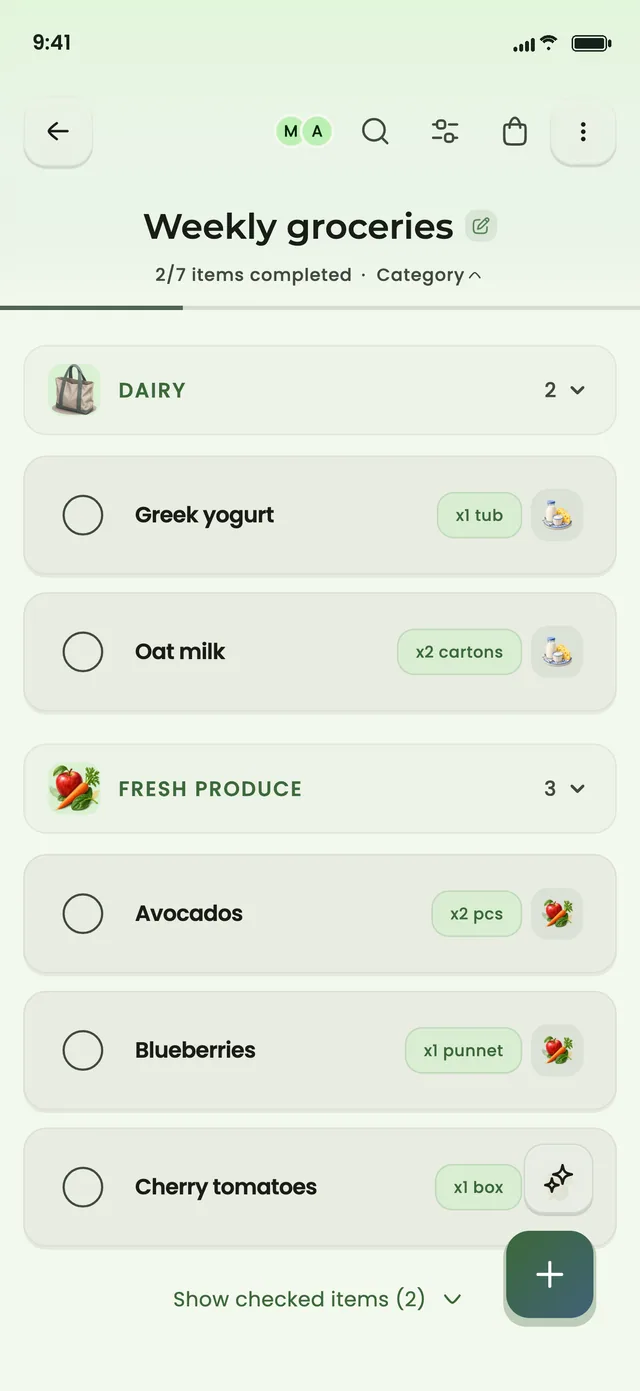
Paste a recipe link, photograph a receipt, or record a voice note. You can check the grocery items ListAIse finds before it changes your list. Build a weekly meal plan and turn it into a categorized grocery list. Duplicate ingredients are combined for you to review.
Share a list with your household or another group. When everyone is connected, changes sync as they happen, with separate viewer and editor roles. Lists already on your phone keep working offline. Add, tick off, and edit items, and ListAIse syncs the changes when you reconnect. Cloud AI and live sharing need a connection; on supported phones, on-device AI works offline once its model is downloaded.
Where it falls short: there's no smartwatch app and no Alexa skill yet. On Mac and Windows it runs in the browser at app.listaise.com, not as a desktop app. Voice, receipt scans and recipe imports have free allowances, and the free plan shows ads. It's a young app built by one developer.
Price: free with usage limits. Premium is $1.99/month or $19.99/year. The Family plan covers you and up to 5 more people for $2.99/month or $29.99/year. Sharing a list is free on every plan.
2. AnyList
Best for: A mature recipe organizer and meal planner with shared lists
It suits shoppers who want a mature recipe organizer and calendar-based meal planner alongside shared lists. Shared lists, recipes, and meal plans sync across devices when everyone is signed in.
Pick it if:
- You want a native Mac app instead of using ListAIse in a browser.
- You check lists on an Apple Watch or add items with Alexa.
- You send lists to Walmart or Kroger for online ordering. ListAIse sends lists only to Instacart, in the US and Canada.
Price: Free core lists. AnyList Complete is $9.99/year for an individual or $14.99/year for a household.
Source: the public AnyList feature comparison, features checked July 22, 2026; pricing checked November 18, 2026. AnyList vs ListAIse
3. OurGroceries
Best for: A plain shared list that opens on many kinds of devices
It suits households that want a straightforward shared list they can open on many kinds of devices. Household list sharing is the main experience, with live changes across phones, the web, watches, and voice assistants.
Pick it if:
- You check lists on an Apple Watch.
- You add items through an Amazon Echo with Alexa.
- You only need a quick shared list with items grouped by store aisle.
Price: Free to download and share lists. The public overview does not list upgrade prices.
Source: the public OurGroceries overview, checked July 22, 2026; pricing checked September 28, 2026. OurGroceries vs ListAIse
4. Listonic
Best for: A free shared list with aisle sorting and price tracking
It suits shoppers who want a free shared list with aisle sorting, price tracking, and apps for phone, tablet, web, Windows, and Mac. Lists can be shared and edited together in real time, with notifications when someone adds or removes items.
Pick it if:
- You want native Windows or Mac apps instead of using ListAIse in a browser.
- You want every core feature free without usage limits.
- You like the lists and recipes Listonic’s AI assistant suggests from a prompt.
Price: Free, with 20+ core features. Paid extras include themes and an ad-free experience; the public site does not list prices.
Source: the public Listonic features, checked September 28, 2026. Listonic vs ListAIse
5. Bring!
Best for: Visual shoppers who like recipe ideas and store offers
It suits visual shoppers who want shared lists, recipe ideas, and retail offers. Its shared lists and participant messages are made for families, partners, friends, and flatmates.
Pick it if:
- You browse local supermarket brochures and add offers to your list.
- You message the people on your list inside the app.
- You like picking items from a visual catalog with icons.
Price: Free to download. The public features page does not list upgrade prices.
Source: the public Bring! features, checked July 22, 2026; pricing checked September 28, 2026. Bring! vs ListAIse
6. Out of Milk
Best for: Shared lists alongside pantry inventory and barcode entry
It suits shoppers who want shared lists alongside pantry inventory, barcode entry, and item-price tracking. Shared lists sync changes across devices almost instantly.
Pick it if:
- Your household already keeps its shopping and pantry lists in Out of Milk, and moving them would take time.
- You want a plain list app with no AI features or usage limits to think about.
- You keep household to-do lists with reminders in the same app.
Price: Free to download on iOS and Android. The public features page does not list upgrade prices.
Source: the public Out of Milk features, checked July 22, 2026; pricing checked September 28, 2026. Out of Milk vs ListAIse
7. Cozi
Best for: Families who want a shared calendar first and a list second
It suits families who want a shared color-coded calendar, chores, and to-do lists first, with shopping lists and a recipe box alongside. One account serves the whole family, and the shopping list shows whoever is at the store the latest version. To-dos and chores update for everyone in real time.
Pick it if:
- You need a shared family calendar with a color for each person.
- You assign chores to family members and track them next to the calendar.
- You sync with Google, Outlook, or Apple calendars, or import school and sports schedules.
Price: Free, with a Cozi Gold plan at $39/year (ad-free, month view, calendar search) and Cozi Max at $79.99/year (adds AI event import, an AI meal planner, and an AI recipe creator).
Source: the public Cozi website, features checked October 18, 2026; pricing checked November 18, 2026. Cozi vs ListAIse
8. Plan to Eat
Best for: Planning dinners ahead on a calendar
It suits households that plan dinners ahead on a calendar, reuse menus, and want nutrition facts alongside the plan. A subscription includes sharing with your household, with one account for the family on as many devices as you like. The App Store listing also describes sharing recipes and saved menus with friends and family.
Pick it if:
- You plan a month or more ahead on a calendar and reuse saved menus.
- You want nutrition facts for your recipes and daily totals on your planner.
- You save recipes from Instagram, TikTok, or Pinterest with its Recipe Clipper.
Price: 14-day free trial with no card required, then $5.95/month or $49/year on plantoeat.com. There is no free plan, and the App Store lists a One-Year Membership at $54.99.
Source: the public Plan to Eat pricing page, and its App Store listing; features checked October 18, 2026, pricing checked November 18, 2026. Plan to Eat vs ListAIse
9. Paprika
Best for: A full recipe manager with a pantry and menus
It suits home cooks who want a full recipe manager with a pantry, menus, and apps for iPhone, iPad, Mac, Android, and Windows. Paprika 4 is free for up to 50 recipes, with an optional Premium subscription. Sync across your devices is part of Premium, along with family sharing and cookbook sharing. The free version stays on one device, and the public pages do not describe live co-editing of one grocery list.
Pick it if:
- You want a full recipe manager with menus and cooking tools, free for up to 50 recipes.
- You want native Mac and Windows apps, or grocery lists on an Apple Watch.
- You want nutrition analysis on your recipes, which Paprika Premium includes.
Price: Free to download for up to 50 recipes on one device. Paprika 4 Premium is a subscription listed at $14.99 in the US App Store, with a discounted $9.99 option; Paprika’s site says Paprika 3 owners get a discount and that prices vary by region.
Source: the public Paprika website, and its App Store listing, checked November 18, 2026. Paprika vs ListAIse
10. Recipe Keeper
Best for: A recipe collection with no subscription
It suits cooks who want a recipe collection with printable cookbooks, apps on phone, tablet, Windows, and Mac, and no subscription. You can share recipes by email and social networks, and the App Store listing describes a shared family recipe collection. The public pages do not describe live co-editing of one shopping list.
Pick it if:
- You prefer a one-time purchase over a subscription.
- You want native Windows or Mac apps instead of using ListAIse in a browser.
- You want to make printable PDF cookbooks with a cover and table of contents.
Price: Free to download with a one-time Recipe Keeper Pro Upgrade of $19.99 in the US App Store, and a separate purchase on other platforms. Recipe Keeper’s site does not list prices.
Source: the public Recipe Keeper website, its App Store listing and its Alexa skill listing; features checked October 18, 2026, the Alexa skill November 18, 2026, pricing checked November 18, 2026. Recipe Keeper vs ListAIse
11. Samsung Food
Best for: A large recipe catalog with grocery delivery
It suits cooks who want a large recipe catalog, nutrition information, and the option of Samsung SmartThings Cooking, with shopping lists as one part of the app. The listing describes sharing meal plans with friends or family and shared grocery lists for family shopping, plus public food communities.
Pick it if:
- You browse a large catalog of public recipes, which its listing puts at over 240,000.
- You want nutrition information and health scores on recipes.
- You want groceries delivered from several integrated retailers. ListAIse can send a list to Instacart only, in the US and Canada.
Price: Free to download. Samsung Food+ is $6.99/month or $59.99/year in the US App Store listing.
Source: the public Samsung Food App Store listing, features checked October 18, 2026; pricing checked November 18, 2026. Samsung Food vs ListAIse
12. ReciMe
Best for: Saving recipes from social video
It suits people who find recipes on social video and want to save them into cookbooks and a grocery list. The App Store listing describes sending recipes by email, SMS, WhatsApp, Messenger, or AirDrop. The public pages do not describe shared live grocery lists.
Pick it if:
- You save recipes from Instagram, TikTok, Facebook, or Pinterest.
- You import many recipes: ReciMe’s free plan allows 5 a week, while ListAIse’s free plan gives 5 at signup, then 3 monthly refills capped at 5.
- You want to save recipes from the web with a Chrome extension.
Price: Free, limited to 5 recipe imports per week, with a paid ReciMe Plus subscription and a 7-day trial in the App Store listing. The public site does not list prices.
Source: the public ReciMe website, and its App Store listing; features checked October 18, 2026, free plan limit checked November 18, 2026. ReciMe vs ListAIse
Which grocery list app should you choose?
- You shop with a partner or family: ListAIse, OurGroceries and Listonic all sync a shared list as people edit it. Cozi fits if the family calendar matters more than the list.
- You plan the week's meals: Plan to Eat and AnyList are built around a planning calendar. ListAIse turns a weekly meal plan into a grocery list.
- You mostly collect recipes: Paprika, Recipe Keeper, ReciMe and Samsung Food put the recipe collection first.
- You don't want a subscription: Recipe Keeper sells a one-time upgrade. Listonic, OurGroceries and ListAIse have free plans, and Paprika is free for up to 50 recipes.
- Your store has no signal: ListAIse explains how offline edits sync later. Paprika and Recipe Keeper say your recipes work offline. Most of the others don't say on their public pages.
Grocery list features, one by one
If one feature decides it for you, these pages explain how it works in ListAIse:
- shared grocery list app, for couples, families and roommates
- grocery list sorted by aisle, in the order you walk the store
- organize your list by store section, with or without an app
- offline grocery list app, for stores with no signal
- voice grocery list app, say the list, check it, shop
- turn a recipe link into a grocery list, paste a link, pick the ingredients
- recipe organizer, keep the recipes you cook
- meal planner with grocery list, plan the week, get the list
- grocery budget app, a running total against a limit
- scan grocery receipts, and track what you paid
- save money on groceries, with a list that does the work